Expansion Revenue: How to Make More From Every Customer You Already Have
Reading Time
12
Published On
Updated On

Brian Moran
Founder

Samara Lemon
VP of Marketing

Leilani Treuting
Marketing Director

Scott Moran
Co-Founder

SamCart is the digital business platform that builds, runs, and scales your online business. AI handles the hard parts, so you keep more of what you earn.
Table of Contents
Title
Share this article
Watch the full walkthrough above, or read the written guide below. The video includes screen recordings of every setup step in SamCart.
Expansion revenue is revenue you earn from customers you already have, instead of customers you have to go buy. In a checkout, it comes from three places: order bumps, one-click upsells, and upgrades.
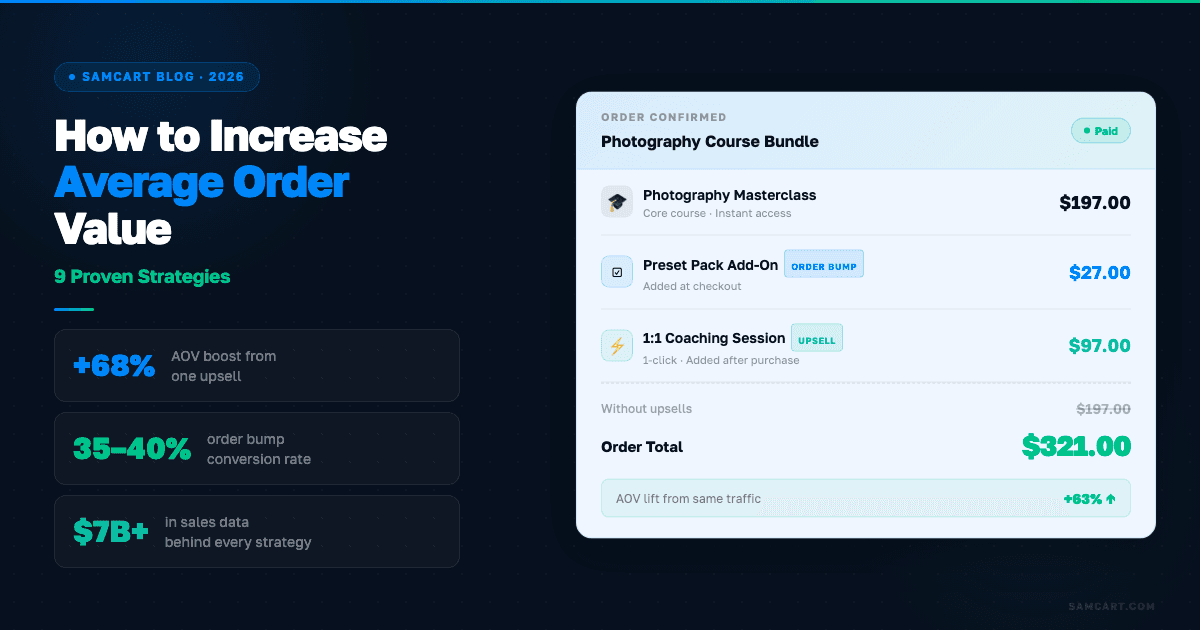
Across $8 billion in transactions on SamCart, sellers who add an order bump and a one-click upsell see average order value climb as much as 98%. A single upsell on its own lifts AOV by 67%. The traffic doesn't change. The ad spend doesn't change. The only thing that changes is what each buyer is worth on the way out.
Most sellers trying to grow do the expensive thing first. They buy more traffic. More ads, more content, more affiliates, more launches. All of it costs money or time, and all of it is subject to somebody else's algorithm.
Meanwhile the cheapest revenue in the business is sitting on the checkout page, unclaimed.
Acquiring a customer costs somewhere between $50 and $200 once you count ads, content, and your own hours. Getting a customer who is already holding their credit card to spend $50 more costs nothing. That's the whole idea, and this guide covers the three mechanics that do it.
What is expansion revenue?
Expansion revenue is any revenue that comes from increasing what an existing customer spends, rather than from acquiring a new one.
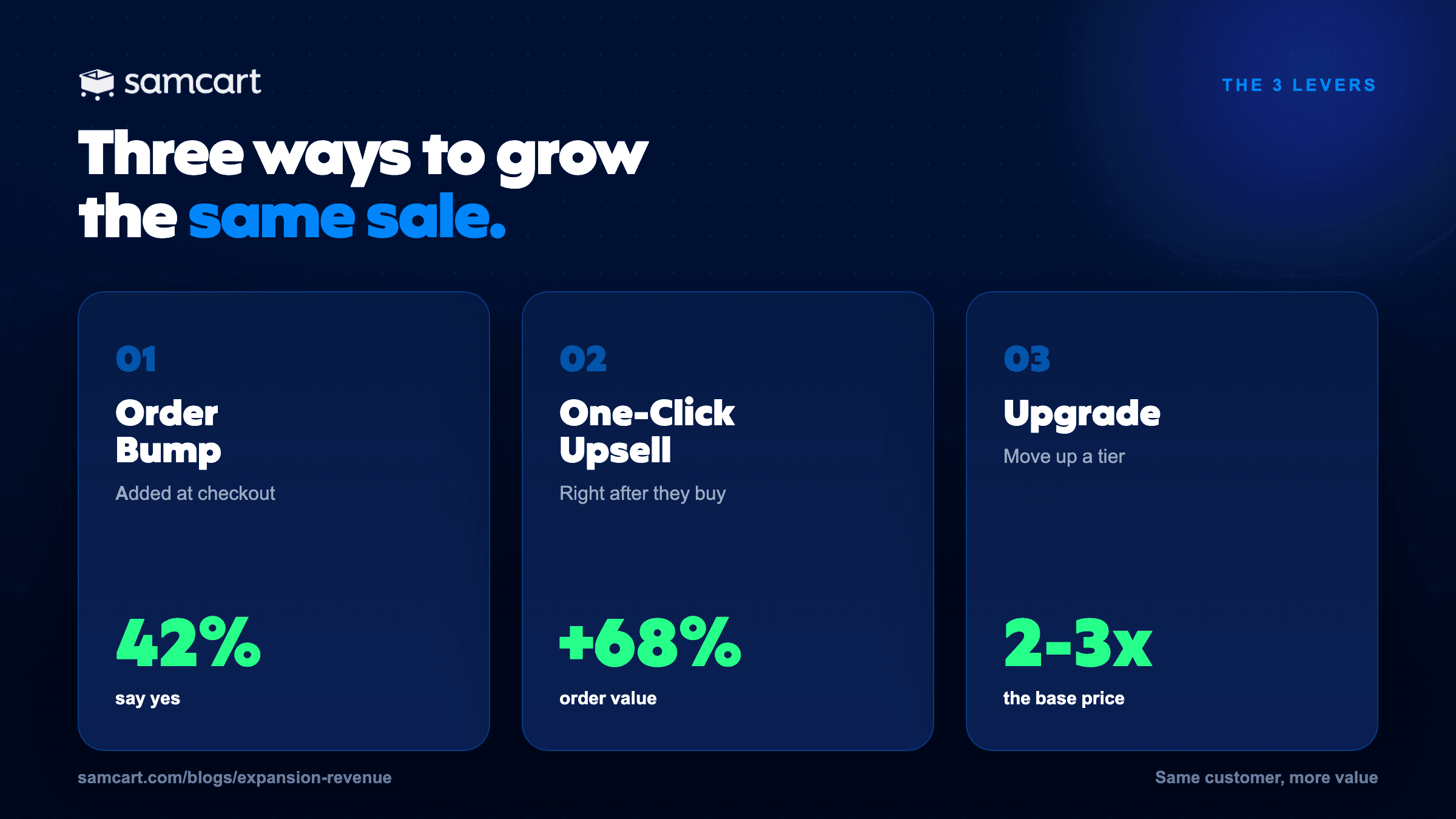
In an ecommerce or digital product business, expansion revenue shows up at exactly one moment: the checkout. You have three levers, and they fire at three different points in the purchase.
Order bump | One-click upsell | Upgrade | |
|---|---|---|---|
When it appears | On the checkout page, before they pay | After the purchase is complete | On the checkout page, as they choose |
What it does | Adds a product to the order | Adds a product to the order | Replaces the product with a better version |
Typical price | $7 to $47 | $47 to $297+ | 2 to 3x the base offer |
Effort to accept | One checkbox | One click, no card re-entry | One selection |
Typical take rate | 31% to 42% | 20% to 35% | Varies by offer |
Best for | Small, obvious add-ons | The logical next step | Buyers who want the premium version |
That table is the part most guides get wrong. People use "upsell" as a catch-all for all three. They're different mechanics with different psychology, and the order you add them in matters.
Lever 1: Order bumps
An order bump is a one-click add-on that appears on your checkout page, before the customer pays.
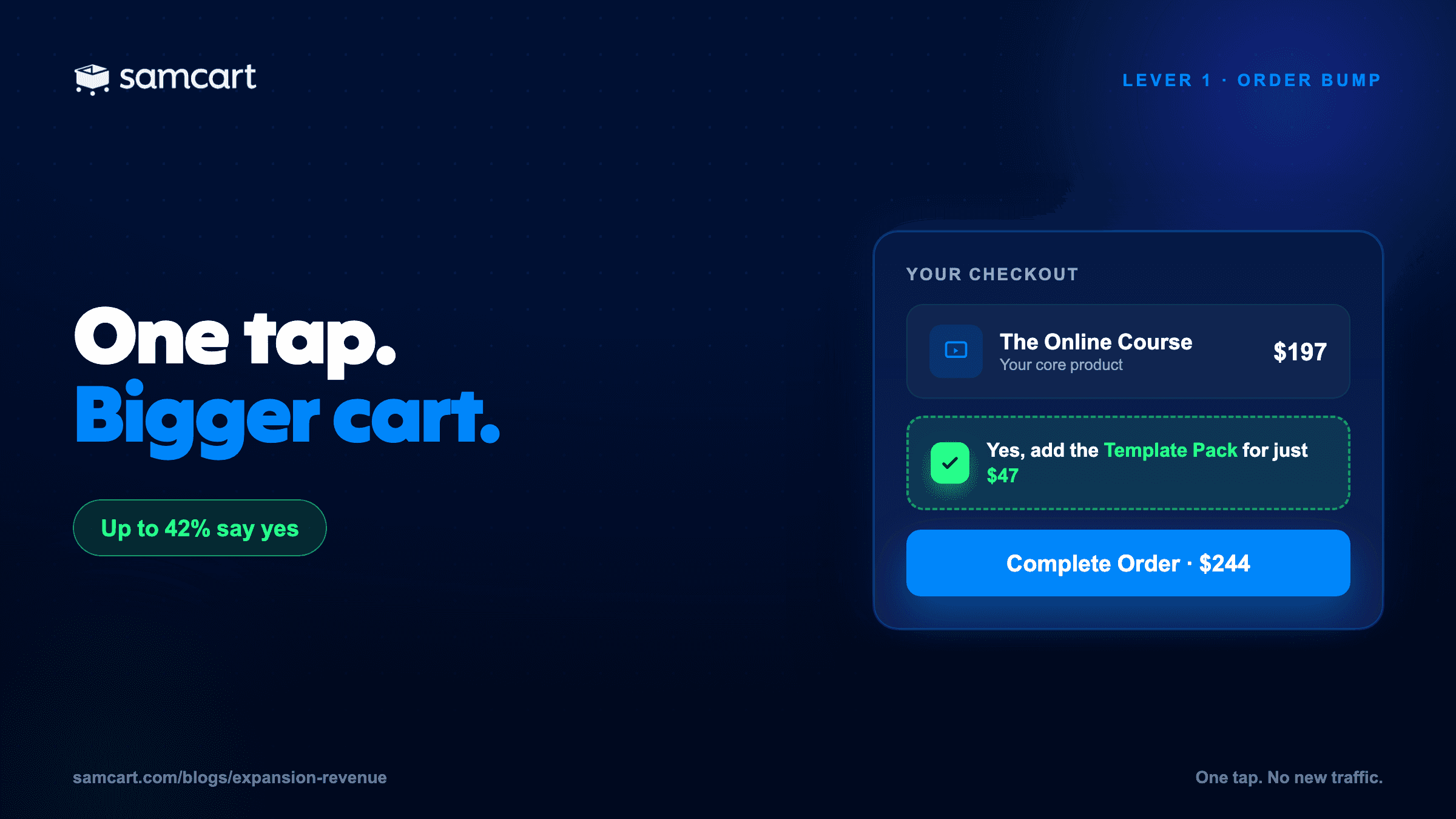
Think of the gum rack at the grocery store checkout. Small, impulse, makes sense in the moment, and you don't think about it too hard. The buyer is already in buying mode, their card is already out, and accepting costs them one checkbox.
What makes a good order bump:
Low ticket. $7 to $47 is the range that converts. A bump priced above 50% of your main offer starts feeling like a second decision instead of an add-on.
Complementary. A workbook for a course. A template pack for a coaching program. A bonus module. If you're selling a Facebook Ads course, don't bump a Notion template. The mismatch breaks trust.
Instant. They get it now, not "coming soon."
Sold in two sentences. This is not the place for a video sales letter. If it needs a webinar to explain, it isn't a bump.
How to set up an order bump in SamCart
Create the product. Sell tab, then New Product. Name, price, description.
Create an order bump collection. Offers tab, then Order Bumps, then Create Order Bump Collection. A collection is a group of one or more bumps you can deploy across multiple products. Build it once, attach it everywhere.
Build the bump. Pick the product, upload a thumbnail, write two or three sentences. Optionally add a retail price so buyers see the discount.
Attach it. Sell tab, your main product, Offers tab, attach the collection.
Test it. Open your checkout in an incognito window, check the box, complete a test purchase, and confirm the bump delivered.
If you sell more than a handful of products, global order bumps are the piece worth knowing about. One bump, attached to every product automatically, instead of repeating step 4 forty times. We covered that in depth in The Complete Guide to Order Bumps.
Lever 2: One-click upsells
A one-click upsell is an offer shown immediately after the purchase is complete, which the customer can accept with a single click because their payment details are already stored.
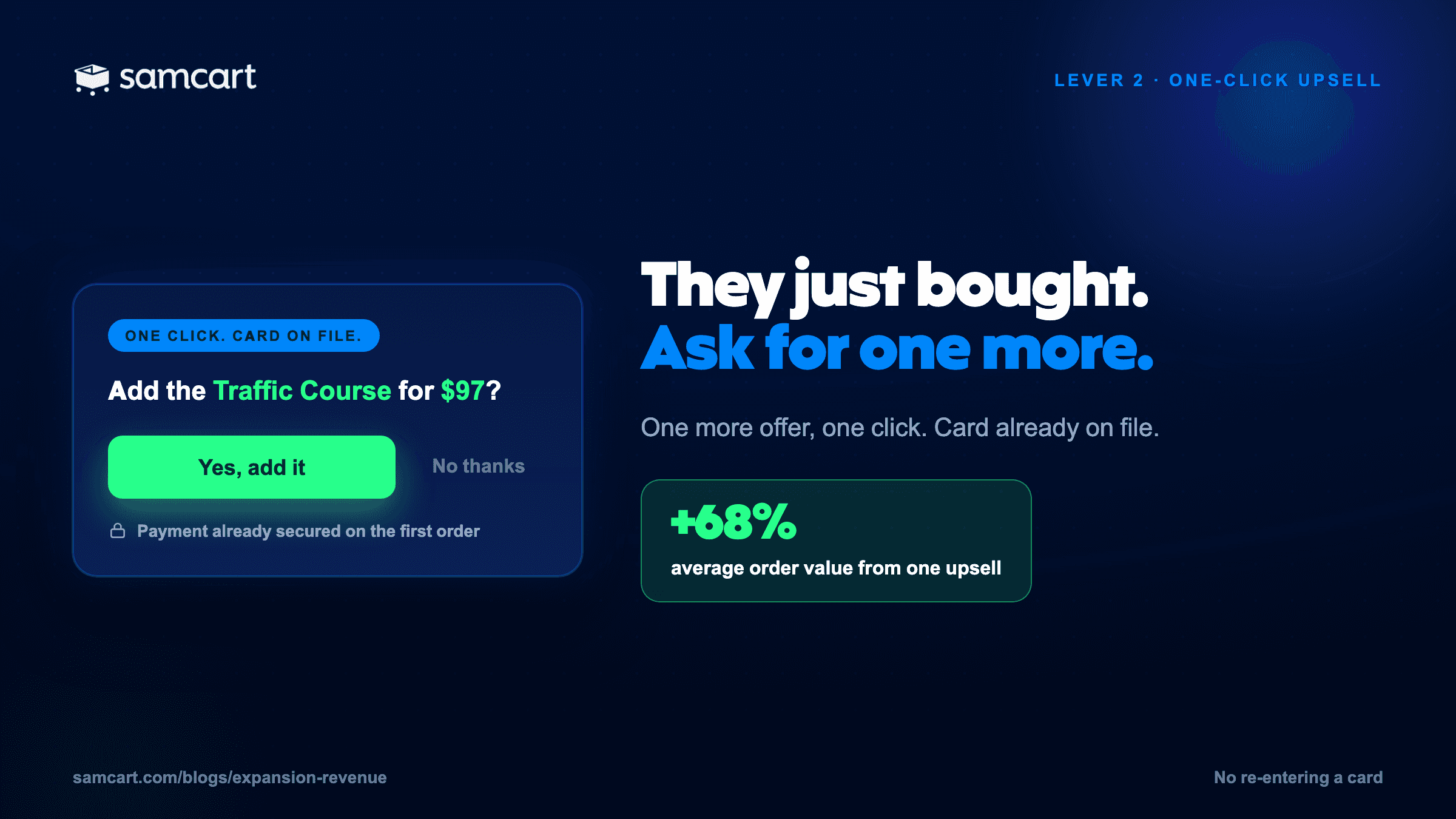
The timing is the whole trick. They've just bought. They're still in "I'm investing in myself" mode and buyer's remorse hasn't arrived yet. And because the card is on file, saying yes is one click. No form, no friction, no second thought about whether the checkout is secure.
What makes a good upsell:
Related to what they just bought. It should make the result they just paid for faster, better, or easier.
Higher ticket than a bump. $47 to $297 is the working range for a first upsell.
The logical next step. Bought the course? Offer implementation coaching. Bought the template? Offer the advanced library.
To borrow a frame from Ryan Deiss: the perfect upsell adds speed and automation. Whatever your buyer is trying to achieve, the upsell should get them there faster and with less work.
How to set up a one-click upsell in SamCart
Create the upsell. Offers tab, then Upsells, then Create New Upsell. Name it, then choose which product gets sold when they accept.
Build the page. SamCart generates a default upsell page from the product's name, description, price, and image. Or toggle to the page editor and design your own with video, custom copy, and images.
Write the copy. Headline: "Wait, one-time offer for [product] customers." Then three to five bullets on what they get and why now. CTA: "Yes, add this to my order." Decline link: "No thanks, I'll pass."
Stack into a funnel. Smart upsell funnels let you branch on every step, showing a different offer depending on whether they accepted or declined the last one. A funnel can be two steps or five.
Attach and test. Go back to the main product, Offers tab, attach the funnel. Then run a test purchase and click through both the yes and no paths.
The most common mistakes: an upsell unrelated to the main offer, more than two or three offers in a row, and weak copy. The upsell page still has to sell. Don't phone it in because the click is easy.
More patterns and examples: 8 Upsell Strategies That Increased AOV.
Lever 3: Upgrades
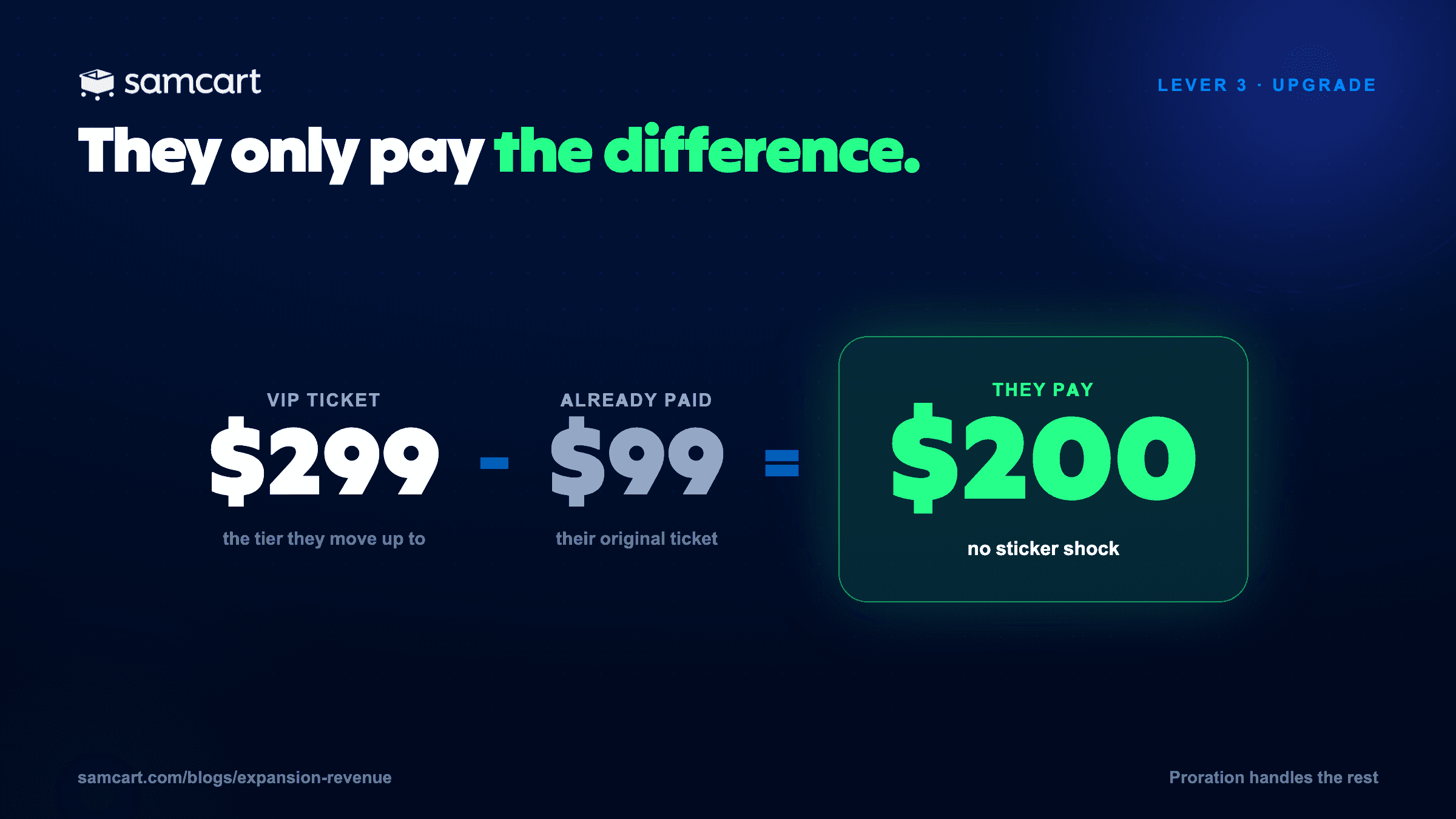
An upgrade replaces what's in the cart with a premium version of the same thing, priced by proration so the customer only pays the difference.
This is the lever almost nobody uses, and it's the most interesting of the three.
Order bumps and upsells add a product to the order. An upgrade substitutes one. Economy to business class. Standard to Pro. It's the same purchase, elevated.
The mechanic that makes it work is proration. Say you sell a $99 workshop ticket and offer a $299 VIP version with one-on-one help. Toggle on the upgrade option and the customer doesn't see $299. They see $200 more. They've already committed $99. They're halfway there. That framing is what moves the conversion rate.
What makes a good upgrade:
2 to 3x the price of the base offer.
Includes everything in the base offer, plus the premium layer. The buyer should never feel they're choosing between two separate things.
A clear, nameable difference. More modules, one-on-one time, lifetime access, priority support.
By seller type, the upgrade almost writes itself:
Course sellers: add private one-on-one sessions to the course they just bought.
Service providers: a VIP tier with extra deliverables.
Physical product sellers: double or triple the order. Three months of the supplement instead of one.
How to set up an upgrade in SamCart
Create the upgrade product, priced 2 to 3x the base and containing everything the base includes.
Toggle "this is an upgrade" when creating the upsell. That activates the proration logic.
Present it on the checkout using product options or a pricing table, with a visual cue on the tier you want chosen.
Test it. Select the upgrade, confirm the prorated price, complete the purchase, confirm the right product delivered.
What this looks like in three different businesses
The same three levers work whether you sell a PDF or a service. Here's the stack applied across three very different offers.
One note on how to read these. The upgrade replaces the base offer rather than adding to it, so the order total counts the upgrade price instead of the base price, plus the bumps and the upsell on top.
A course seller, newborn sleep training
Base offer | $197 online course |
Order bump | $27 printable sleep tracker |
Order bump | $47 bonus module |
Upgrade (replaces the $197) | $497 course + coaching, shown as $300 more |
Upsell | $97 lifetime community access |
Order total | $668, vs $197 for the base offer alone (+239%) |
A service provider, app designer
Base offer | $2,500 app UI/UX design |
Order bump | $500 onboarding flow |
Order bump | $750 design system docs |
Upgrade (replaces the $2,500) | $6,500 full package, shown as $4,000 more |
Upsell | $4,500 three-month retainer |
Order total | $12,250, vs $2,500 for the base offer alone (+390%) |
A physical product seller, fitness supplements
Base offer | $47 30-day pre-workout |
Order bump | $19 shaker bottle |
Order bump | $37 recovery blend sample |
Upgrade (replaces the $47) | $127 90-day supply, shown as $80 more |
Upsell | $67 subscription |
Order total | $250, vs $47 for the base offer alone (+432%) |
Nobody takes every offer. That's not the point. The point is that the ceiling on a single customer moves from $197 to $668 without a single additional visitor, and the average lands somewhere in between instead of sitting at the floor.
What the numbers actually look like
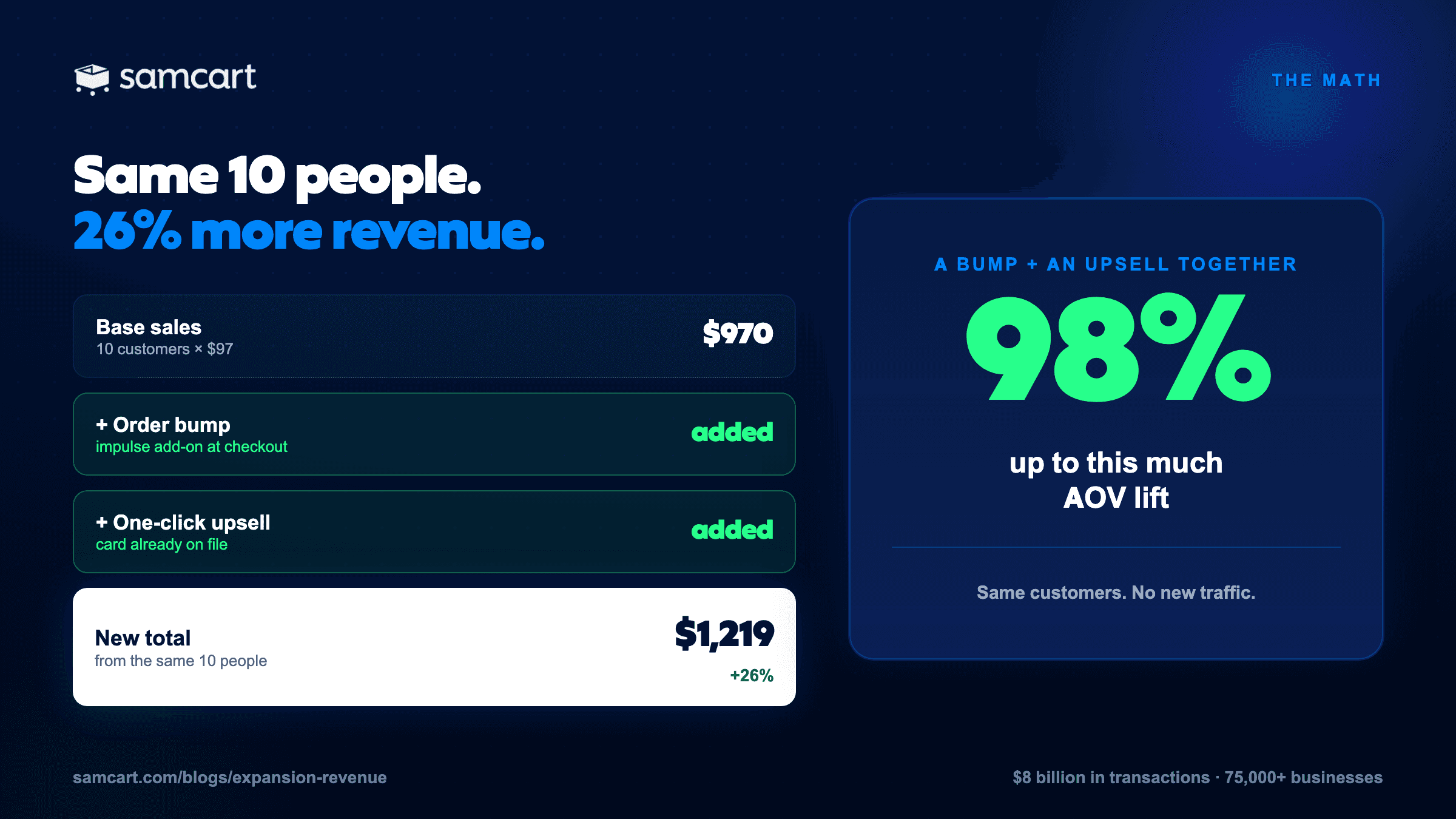
Here's the smallest version of the math. Ten customers, one $97 course:
10 x $97 = $970
Add a $27 order bump, 40% take it = +$108
Add a $47 upsell, 30% take it = +$141
New total: $1,219, a 26% lift from the same ten people
Scale that and it stops being a rounding error. Nicole Burke of Gardenary spent four years trying to launch a course without cracking it. She moved to SamCart, added order bumps and one-click upsells, and did $500,000 in 24 hours. The offer didn't change. The checkout did.
Across SamCart's transaction data, the pattern holds:
31% to 42% of customers take an order bump
20% to 35% take a one-click upsell
67% average AOV lift from adding one upsell
98% average AOV lift from a bump and upsell together
Which one should you add first?
Start with one order bump. It's the fastest to build, needs the least copy, and has the lowest friction for the buyer. You can have it live in under an hour.
Then, in order:
Add one upsell. Higher upside than a bump, but it needs real copy, so give it more attention.
Test an upgrade if you have a clear premium tier.
Layer in a downsell once your upsell converts above 25%.
Resist the urge to build all of it at once. One bump on your best-selling product will tell you more in two weeks than a five-step funnel you never finish.
Start with one
The three levers are order bumps, one-click upsells, and upgrades. One upsell lifts average order value by 67%. A bump and an upsell together lift it by up to 98%, on traffic you've already paid for.
You don't need all three this week. Open your best-selling product, attach one order bump, and watch what happens to your average order for the next fourteen days.
All three are built into SamCart on the Pro plan. You can start free for 7 days and have your first bump live this afternoon.
Written by the SamCart Editorial Team. SamCart is the digital business platform behind $8 billion in sales across 75,000+ businesses.
SamCart Editorial Team
Brian Moran
Founder
Samara Lemon
VP of Marketing
Leilani Treuting
Marketing Director
Scott Moran
Co-Founder
Want it Set Up For You?
Come talk with a SamCart expert about your specific needs, build a plan for growing your sales, and let our team build it all for you.
Frequently Asked Questions
What is the difference between an order bump and an upsell?
An order bump appears on the checkout page before the customer pays and adds a small product to the order with one checkbox. A one-click upsell appears after the purchase is complete and adds a larger product with one click, using the card already on file. Bumps are typically $7 to $47; upsells are typically $47 to $297.
How much does an order bump increase average order value?
Order bumps are taken by 31% to 42% of customers on SamCart. Adding a bump and a one-click upsell together lifts average order value by up to 98%. A single upsell on its own averages a 67% lift.
What is a one-click upgrade?
A one-click upgrade replaces the product in the cart with a premium version and charges only the difference. If a buyer has a $99 ticket in the cart and the VIP version is $299, they're shown $200, not $299. That proration is what makes upgrades convert better than presenting the premium tier as a separate offer.
Should I add an order bump or an upsell first?
Add the order bump first. It takes the least time to build, needs only two or three sentences of copy, and requires nothing from the buyer but a checkbox. Add the upsell once the bump is live and converting.
Do order bumps hurt conversion on the main offer?
Not when the bump is relevant and priced below about half the main offer. Problems come from bumps that are unrelated to what the customer is buying, priced too close to the main offer, or buried under too much copy.